


All Video Downloader: Launcher
4.050.00 Reviews
App Specs
- Version
- 3.7
- Updated On
- License
- Free
- Downloads
- 5,000,000+
- Developer
- The Lucky App
- Categories
- Video Players & Editors
- Platform
- Android
Screenshots

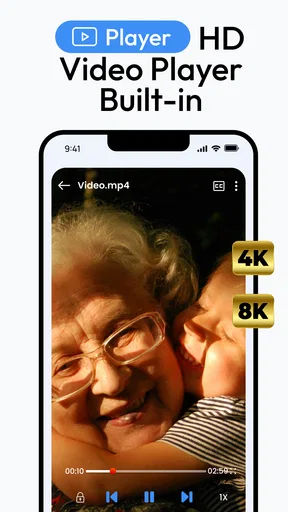
 Analysis by AppCompare
I tend to judge a video downloader less by how many buttons it advertises and more by whether it fits naturally into an ordinary day. All Video Downloader: Launcher is aimed at people who want to browse and save clips in one place, rather than jump between a web browser and a separate download tool. That can be useful on a shared household device, but it also makes a little coordination worthwhile: a saved video may be personal, while the phone or tablet it sits on may not be.
When one device serves several people
Picture a family sharing a tablet in the kitchen. One person spots a recipe demonstration, another wants to keep a short clip for a trip, and someone else uses the device for everyday browsing. A built-in browser and player can make those small tasks feel less scattered, since the person finding a video can handle it in the same app instead of handing off a browser page and asking someone else to finish the job.
The useful household habit is to agree on where saved videos belong and who is using the device before starting a download. I would avoid treating a shared device as a private archive: a clip saved for one person may be visible to the next person who opens the app or browses the device. That is not a special family feature; it is simply a sensible boundary when people share hardware.
Set expectations before browsing
The app is free to install, though it offers in-app purchases priced from $4.99 to $9.99 per item. I would start with the free experience and decide whether it already covers the intended task before considering any purchase. On a shared device, that conversation should happen with whoever manages spending, rather than assuming that every user should make their own purchase decision.
Its launcher and built-in browser make it more than a single-purpose save button, so I would also decide whether I want it to become part of my routine. If all I need is an occasional offline copy, opening a dedicated downloader each time may be enough. If I expect to browse for clips and manage them in one place, the combined approach makes more sense. Either way, I would keep the goal narrow: save material for legitimate personal use, not as a way to bypass a creator’s restrictions or repost someone else’s work.
Coordination matters more than clever settings
For a household, the main question is not how to turn on a control that may not exist; it is how people will coordinate around the app. A simple handoff can prevent confusion: say whose video is being saved, check that the right person is using the device, and avoid leaving a half-finished browsing session for someone else. Those habits are especially useful when a tablet moves between adults and children.
There is also a practical distinction between finding a clip and keeping it. A video that plays in a browser may not always be available to download, depending on the site and its restrictions. I would treat the in-app browser as a convenient place to try, not as a promise that every page will produce a saveable file. When the source offers its own offline option, that official route is usually the cleaner choice.
Worth Reading Before You Choose

Flipboard Shows What News Apps Must Do Beyond the Feed

Switching to Android Auto Means Rethinking Your Driving Routine

Google Calendar Makes a Crowded Week Easier to Manage

Ludo King Makes the Most of the Minutes Between Plans

Baby Panda World Brings Quick Play to Modern Phones, but Its Game Library Feels Busy

ESPN’s Live Game View Makes Following Close Games Easier
Who may want a different tool
This is a better fit for someone who regularly encounters videos while browsing and wants a player and downloader together. It is less compelling for a person who only watches content in a few official services, where built-in viewing or offline features may be easier and more predictable. It may also not suit someone who wants a strictly private setup on a device used by several people, since shared-device habits still matter even when an app presents itself as convenient.
Compared with a conventional video player, the emphasis here is on discovering and saving content through a browser as well as playing it. Compared with a browser that has no downloader, the attraction is fewer app switches. The trade-off is that a combined app adds another place to manage browsing and saved media. If you prefer to keep those activities separate, a standard browser plus a player you already trust may feel more controlled.
The Download Dilemma
We've all been there: you see a hilarious clip or an inspiring video, and you want to keep it forever, but the platform doesn't offer a download option. Enter All Video Downloader: Launcher, which claims to support downloads from numerous sites with just a few taps. As someone who loves to curate a personal library of interesting finds, this feature is a big deal.
Getting Started
First things first, downloading the app is straightforward. It’s available on both Android and iOS, so whether you’re team Android or an Apple enthusiast, you’re covered. The installation process was smooth, and I was up and running in no time.
Once installed, the interface is clean and intuitive. I appreciated the minimalistic design which makes navigation a breeze. Everything is right where you’d expect it to be, which is a pleasant surprise in a world where apps often try to do too much.
Features That Shine
One of the standout features of All Video Downloader: Launcher is its versatility. The app supports downloads from a wide range of platforms. Whether it’s a video from social media giants, news sites, or other video-sharing platforms, this app has you covered. I tested it with a few popular sites, and to my delight, it worked seamlessly.
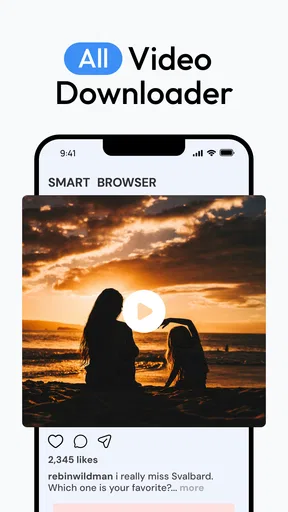
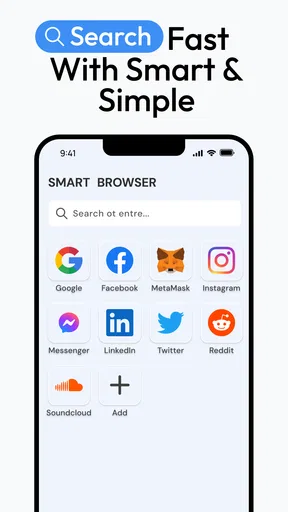
Another nifty feature is the built-in browser. This allows you to surf the web and download videos directly from within the app without needing to switch between different apps. It’s a small touch, but it makes the downloading process so much smoother and more efficient.
Performance and Speed
Now, let’s talk about speed. No one wants to wait around for ages while a video downloads. Thankfully, All Video Downloader: Launcher delivers on its promise of fast downloads. The app efficiently manages resources to ensure that your downloads are quick, even when dealing with high-definition content.
During my testing, downloads were consistently swift, and I didn’t experience any significant lags or crashes, which is always a good sign when dealing with a new app.
Security and Privacy
In the age of data privacy concerns, it’s important to touch on how the app handles your data. All Video Downloader: Launcher assures users that it does not store any personal data or browsing history. This level of transparency is refreshing, especially when dealing with an app that accesses online content.
Age, trust, and everyday judgement
The app is rated Everyone, which makes its age classification broad, but I would still make the decision based on how a particular child uses a shared device. A general age rating does not replace a parent’s judgement about online browsing, the websites a child may encounter, or what should be saved. I would keep the first use supervised and talk through the difference between watching something and having permission to download it.
The developer is The Lucky App, and the app sits in the video-player and editing category, although its practical appeal here is browsing and downloading rather than editing clips. It has an average rating of 3.9 from around 8,500 ratings, with 39 written reviews, and has passed 5 million installs. Those figures suggest a sizeable audience, but they are not a substitute for checking whether the app behaves as you need on your own device.
A sensible way to test it
I would begin with a video whose source clearly permits saving, rather than making a difficult or restricted site the first test. Open it in the built-in browser, see whether the app presents a download option, and then play the saved result in the built-in player. This small trial answers the practical questions that matter: whether the source works, whether the file is easy to find, and whether playback suits the device being used.
For a shared tablet, try that workflow while the intended user is present. It is easier to establish where a clip belongs and whether it plays properly before the device changes hands. If the app is being used during travel planning, for example, a parent might save a permitted route explainer or a child-friendly clip ahead of time, then check playback before relying on it away from a connection. I would not assume every online video can be saved or that every saved file will be suitable for every situation.
Another useful trade-off is convenience versus clutter. Keeping browsing and saving together reduces app switching, but repeated downloads can make a device harder to navigate if nobody tidies up. I would save selectively and remove clips that have served their purpose, especially on a family device where another user may not know which files are still wanted. That approach also makes it easier to distinguish a deliberate offline copy from something downloaded by accident.
Version, compatibility, and cost in context
The current version is 2.9, and the stated minimum operating system is version 8.0. The app was released on July 21, 2025. Those details are useful when deciding whether an older device is a candidate, but I would still check compatibility on the actual phone or tablet before building a household routine around it. An app that works well for one person is only helpful if the device’s usual users can access it comfortably.
Because installation is free and purchases are optional, trying the basic workflow is a low-commitment way to judge the fit. I would not pay simply because a purchase option appears; first decide whether the free setup handles the sites and routine you care about. If your main need is watching videos, an existing player or an official platform app may be simpler. If your main need is saving permitted clips encountered while browsing, the combined browser-and-player idea has a clearer advantage.
Final Thoughts
After spending some quality time with All Video Downloader: Launcher, I can confidently say it’s a handy tool for anyone looking to download videos from various platforms. Its ease of use, coupled with a robust set of features, makes it a compelling choice for video enthusiasts.
While it might not reinvent the wheel, it certainly makes the process of downloading videos a whole lot easier. If you've been on the hunt for a reliable video downloader, this app is worth checking out. Just remember to use it responsibly and respect copyright laws!
My household verdict
I would recommend trying it if you often find videos you are allowed to keep and want a browser, downloader, and player gathered in one place. For a shared device, the best results depend on clear expectations: users should know that browsing and saved media may be encountered by the next person, and whoever manages purchases should decide whether optional spending is appropriate. That practical coordination matters more than expecting the app to manage family boundaries for you.
I would skip it if you rarely download videos, prefer to keep browsing separate from media storage, or rely mainly on services with their own offline viewing features. For everyone else, a small test with a permitted clip is the fairest way to decide. If that simple workflow feels natural on your device, this app can be a useful household utility; if it creates more sorting and handoffs than it saves, a regular browser and your existing video player are likely the better fit.
Pros
- Fast download speeds for large files.
- Supports multiple video formats.
- User-friendly interface design.
- Batch downloading capability.
- In-app browser for easy navigation.
Cons
- Limited features in free version.
- Intrusive ads in free tier.
- Occasional download errors.
- No built-in video player.
- Requires stable internet connection.
FAQs for All Video Downloader: Launcher
What is All Video Downloader: Launcher and what does it do?
All Video Downloader: Launcher is an application designed to help users download videos from various online platforms directly to their devices. It supports multiple video formats and resolutions, making it easy for users to save their favorite content for offline viewing. The app also features a built-in browser to facilitate seamless downloading.
Is All Video Downloader: Launcher free to use, or does it require a subscription?
The app offers a free version with basic features, allowing users to download videos. However, it may include ads and limitations on download quality or speed. For an ad-free experience and additional features, users can opt for a premium subscription, which also supports the developers.
How user-friendly is the interface of All Video Downloader: Launcher?
All Video Downloader: Launcher boasts a straightforward and intuitive interface. With clearly labeled buttons and easy navigation, users can quickly access the app’s features. The built-in browser simplifies the process of finding and downloading videos, making it suitable for both tech-savvy users and beginners.
Is All Video Downloader: Launcher legal and safe to use?
Using All Video Downloader: Launcher is legal for downloading videos that are not protected by copyright or for which you have permission. Users should always respect copyright laws and the terms of service of the platforms from which they download content. The app is generally safe, but downloading from unofficial sources can pose security risks.
What formats and resolutions does All Video Downloader: Launcher support?
The app supports a wide range of video formats, including MP4, AVI, and MOV, among others. It also offers various resolution options, from standard definition (SD) to high definition (HD) and even 4K, depending on the source video. This flexibility allows users to choose the best quality for their device storage and playback preferences.


